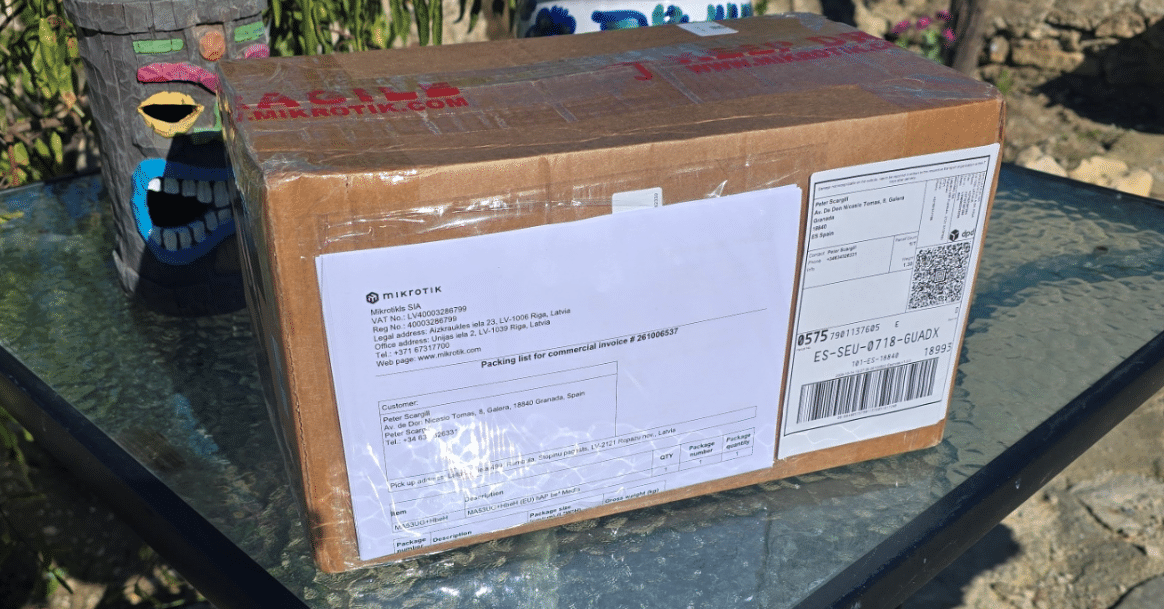
Remember this? I wrote about the old Mikrotik RB2011UiAS Router a little while ago.The router was given to me years ago by an old friend in the UK and sat around in a cupboard until this summer when I resurrected it from the grave and it works a treat – but is old tech and no 5Ghz WiFi never mind WiFi 6 or 7.So I wrote off to Mikrotik to see if they could send me one of their later products to play with – and sure enough, this morning, a large box arrived for me here in Spain, all the way from sunny Latvia.
I don’t normally do unpacking blogs but I’ve never seen anything quite like this – so – now’s as good a time as any for an exception.Inside that very big box, a much smaller box containing the router and its power supply… And here it is – a hAP-Series (whatever that means) router from Mikrotik.The MA53UG is a very odd-looking router(modem) – the description on the English instruction sheet says MA53UG+HbeH and the first photo here on the left shows the front of the unit.
On one side is a USB-C connection, the other side has nothing and the back has 4 2.5G Ethernet potrs, a PoE in Internet port, reset button, DC power input and some kind of lock.There is also a slot on the back whose purpose I’ve yet to figure out.The paperwork that comes with it includes instructions in every imaginable language, only one of which I understand – and no pretty pictures.
The English section, like the rest, comprises all of a fraction of a sheet of paper – but fortunately ALSO a QR code – I scanned that into my phone and voila – hAP be³ Media – MA53UG+HbeH – just to be sure – this is the link to the manual – https://help.mikrotik.com/docs/spaces/UM/pages/357302341/hAP+be%C2%B3+Media Until I say “End of blurb” the information is straight from the website.The professional, all-in-one platform for routing, services, containers, and modern network workloads.This is a powerful Wi-Fi 7 hybrid router and media hub combining triple-band wireless, five 2.5G Ethernet ports, built-in Matter/Thread smart automation/IoT support, and a quad-core ARM CPU for containers, storage, and advanced networking.
Triple-band 2×2 MIMO Wi-Fi 7 The hAP be³ Media delivers true Wi-Fi 7 performance across the 2.4, 5, and 6 GHz bands.Expect higher throughput, lower latency, improved security, and better spectral efficiency.The wide 6 GHz band offers more clean spectrum, helping reduce congestion in busy environments.
Also, hAP be³ Media supports Wi-Fi 7 Multi-Link Operation (MLO) in TR-MLMR (AP mode).Whether you are running a multi-device setup, a network lab, workstations, VR headsets, NAS backups, cloud sync, or high-resolution media streaming, everything can run simultaneously without competing for airtime.More bands mean more capacity, smoother performance, and a wireless experience that finally keeps up with modern workloads.
2.4 GHz antenna gain: 4 dBi 5 GHz antenna gain: 7.5 dBi 6 GHz antenna gain: 8 dBi 2.5 Gigabit Ethernet on all ports That’s right – no more bottlenecks! Ultra-fast ISP uplink, NAS servers, workstations – you can have it all! A modern hybrid media center With USB-C, two USB-A ports, and an microSD card slot, hAP be³ Media becomes the heart of your local media storage.Use flash storage for backups, photos, video surveillance footage or a private family cloud.Self-hosted password managers, documents and services – that is the way in 2026, if you care about privacy and security.
Store automation data and container workloads without relying on external servers.Everything stays fast, local, and fully under your control.Also, with the MikroTik BTH app and the improved File share functionality in WinBox, you can share large files without worrying about expired links, delays or privacy.
Matter matters: smart Internet-of-things integration has never been easier With Wi-Fi 7, Bluetooth 5.4, and RouterOS v7, hAP be³ Media provides a solid foundation for modern IoT setups.A built-in Thread radio and full container support allow users to deploy Thread IoT automation solutions that remain local, private, and fully customizable.End of Blurb I got the bit about it using “Winbox” – an interface program that Mikrotik have been using for many years and which you’ll see referred to in my “Back from the Grave” article from September this year.
MORE to come – I’ve published this as I need the link to an earlier post.
Read More